🎯 Why Supreme Lite?
Windows Task Scheduler is overcomplicated. Existing tools look dated. Supreme Lite delivers clean design, intelligent automation, and rewarding user experience.
📸 See Supreme Lite In Action
Modern interface with intelligent automation and gamification
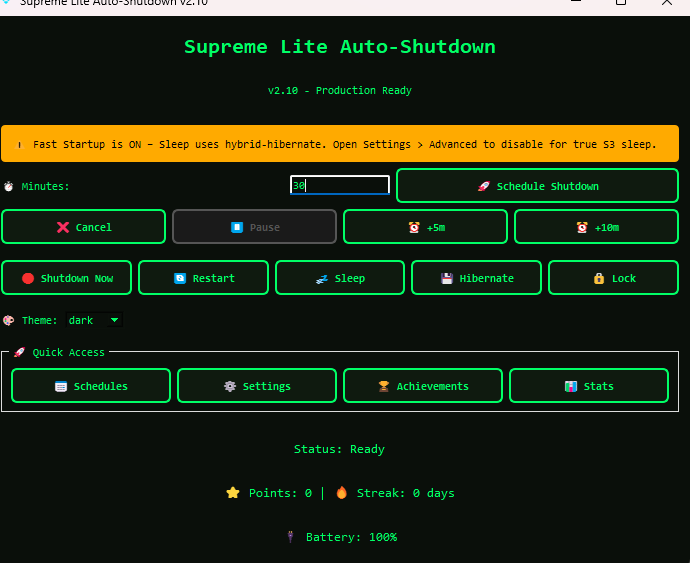
Main Dashboard
Schedule shutdowns and control all power options
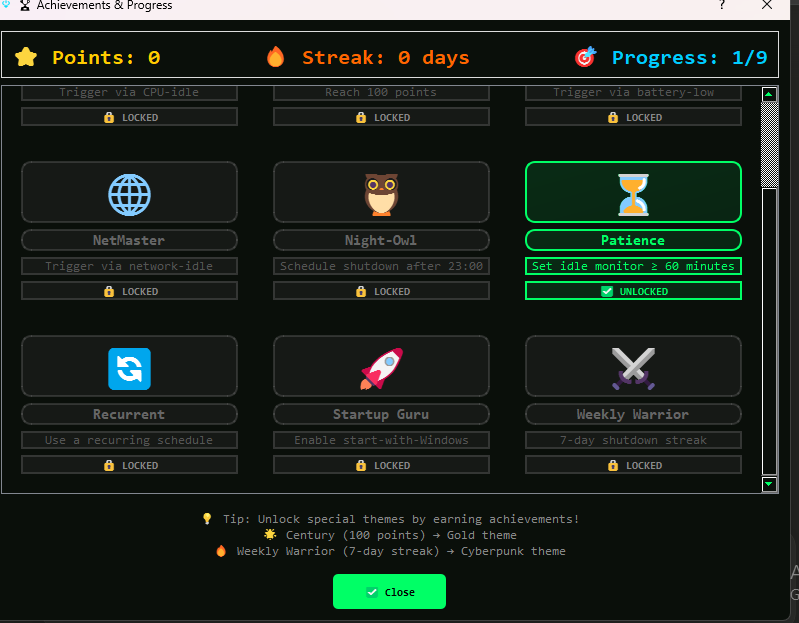
Achievements & Progress
Earn points and unlock premium themes
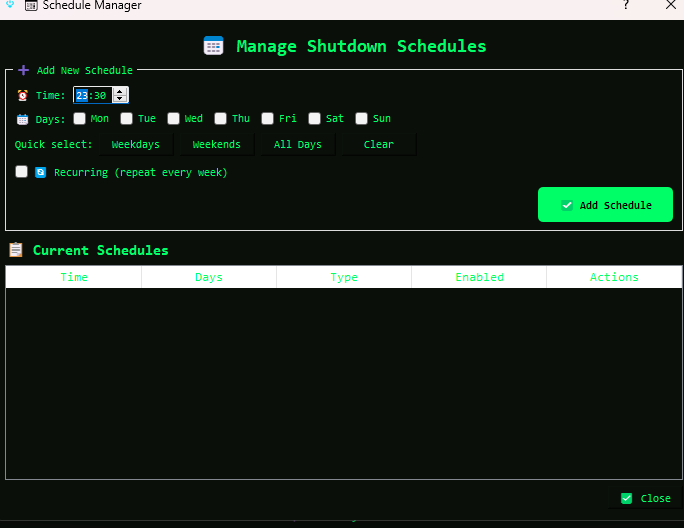
Schedule Manager
Create recurring schedules easily
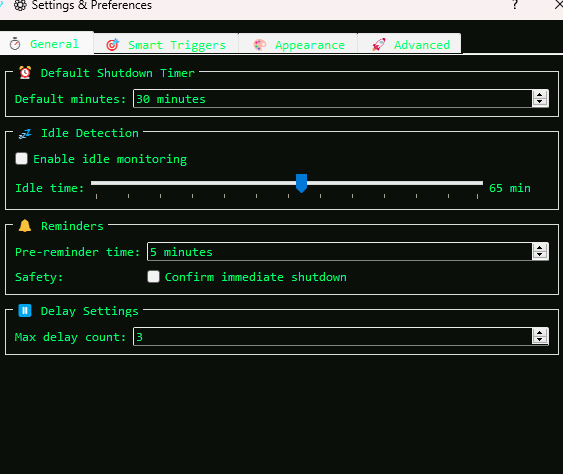
Advanced Settings
Fine-tune triggers and behavior
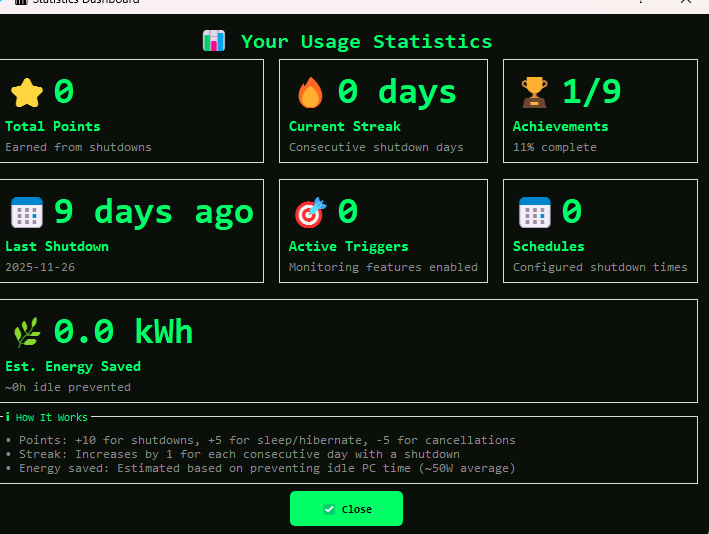
Usage Statistics
Track patterns and energy savings
✨ What's Inside v2.10
Smart Triggers
- Schedule shutdown
- Battery-low auto-shutdown
- CPU idle detection
- Network idle detection
Gamification
- Earn points for shutdowns
- 7-day streak unlocks Cyberpunk
- 100 points unlocks Gold theme
- Track your eco-score
Looks & Feel
- Multiple themes + unlockables
- System-tray integration
- Smooth animations
- Clean 4-tab settings
Lightweight
- Under 50 MB download
- Minimal CPU/RAM use
- Runs in background
- Portable or MSI installer
Safe & Private
- No data collection
- No ads or spyware
- Grace-period protection
- Cancel/delay anytime
Flexible Scheduling
- One-time or recurring
- Daily/weekly picker
- Countdown timer
- Start-with-Windows toggle
📊 How Does It Compare?
| Feature | Supreme Lite | Wise Auto Shutdown | Windows Task Scheduler |
|---|---|---|---|
| Schedule shutdown | ✅ | ✅ | ✅ |
| Restart/Sleep/Hibernate | ✅ | ✅ | ✅ |
| Idle detection | ✅ | ✅ | ❌ |
| Battery triggers | ✅ | ❌ | ❌ |
| CPU/Network awareness | ✅ | ❌ | ❌ |
| Gamification & rewards | ✅ | ❌ | ❌ |
| Unlockable themes | ✅ | ❌ | ❌ |
| Portable version | ✅ | ✅ | ❌ |
| Easy to use | ✅ | ✅ | ❌ |
❓ Frequently Asked Questions
How do I auto shutdown Windows 11?
Download and run Supreme Lite, choose a schedule, select Shutdown, and save. The app will automatically power off with reminders.
Is this really free?
Yes, 100% free. No ads, no tracking, no paid upgrades. We believe quality software shouldn't come with compromises.
Can I cancel or delay a scheduled shutdown?
Absolutely! Pause, delay, or cancel via tray icon or in-app controls. Grace period prevents accidental shutdowns.
Why does Windows show "Unknown Publisher"?
Code-signing certificates cost $100-300/year. The app is safe and open-source. Click "More Info → Run Anyway" to install.
Does it work with laptops and battery triggers?
Yes! Set battery thresholds to automatically hibernate when low, and enable idle detection to avoid interrupting tasks.
Is the source code available?
Yes! Open source on GitHub. Contribute, report issues, or fork!
💻 System Requirements
Minimum
- ✓ Windows 10 (64-bit)
- ✓ 1 GHz CPU
- ✓ 2 GB RAM
- ✓ 50 MB free space
Recommended
- ✓ Windows 11 (latest)
- ✓ Dual-core 2 GHz+
- ✓ 4 GB+ RAM
- ✓ 100 MB free space
Ready to Take Control?
Start managing your PC power efficiently
Windows 10/11 • No signup required • v2.10
💬 Join the Community
Supreme Lite is actively developed and improving based on feedback
📝 Version History
Track all updates, improvements, and new features
View Full Changelog